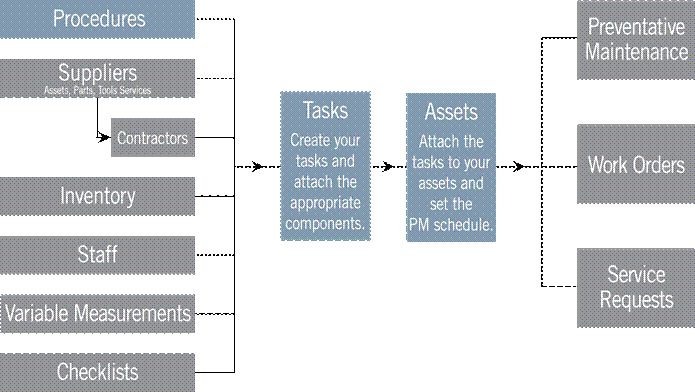
To quickly get started with FaciliWorks and to efficiently use its major functions, it is important to populate the database so that information is available from the many drop-down or pop-up lists as you create PMs and Work Orders. We recommend that you first set up automatic numbering schemes for assets, parts and staff members if appropriate. Next, enter Procedures, Suppliers, Contractors, Inventory, Staff, Variables and Checklists. Doing so will make it easier to create Tasks which in turn will make it easy to add Assets. From there, you can begin to create PMs, Work Orders and Service Requests. Please see the User Guide for detailed data entry instruction.